Maintenance Events
Track scheduled and unscheduled maintenance to keep vehicle availability accurate.
Maintenance events record when a vehicle is out of service — whether for planned maintenance, unscheduled repairs, or inspections. Logging maintenance keeps the schedule and allocation views accurate so coordinators do not allocate unavailable vehicles.
Accessing Maintenance Events
Navigate to Resources → Vehicles → Maintenance Events in the project sidebar, or view the maintenance section on an individual Vehicle Detail page.
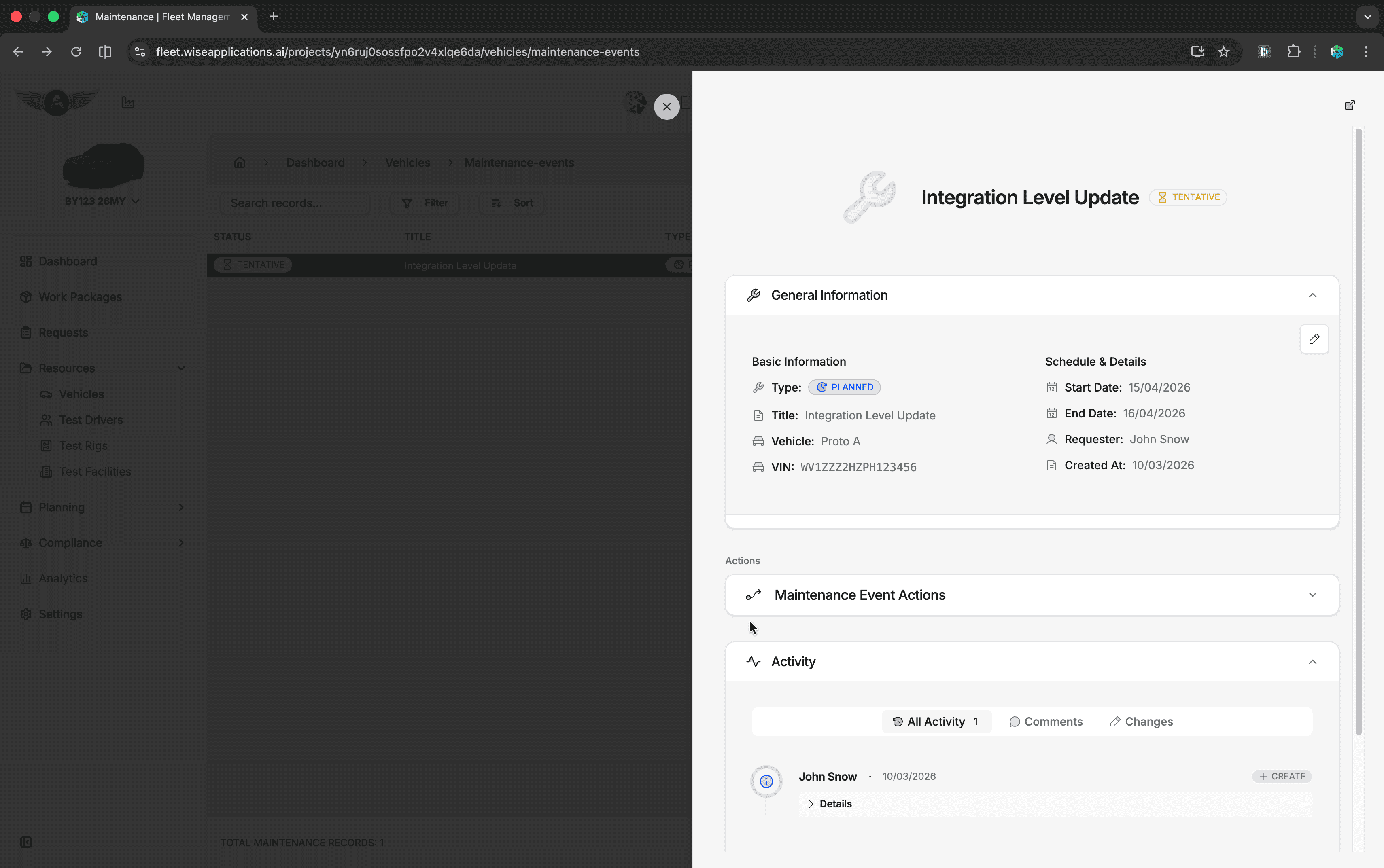
Maintenance Event List
| Column | Content |
|---|---|
| Vehicle | The vehicle under maintenance |
| Type | Scheduled maintenance, unscheduled repair, inspection, etc. |
| Start Date | When the maintenance period begins |
| End Date | When the vehicle is expected to return to service |
| Status | Planned, In Progress, Completed |
| Notes | Description of the maintenance work |
Use Search to find events by vehicle name, and Filter by type or status.
Creating a Maintenance Event
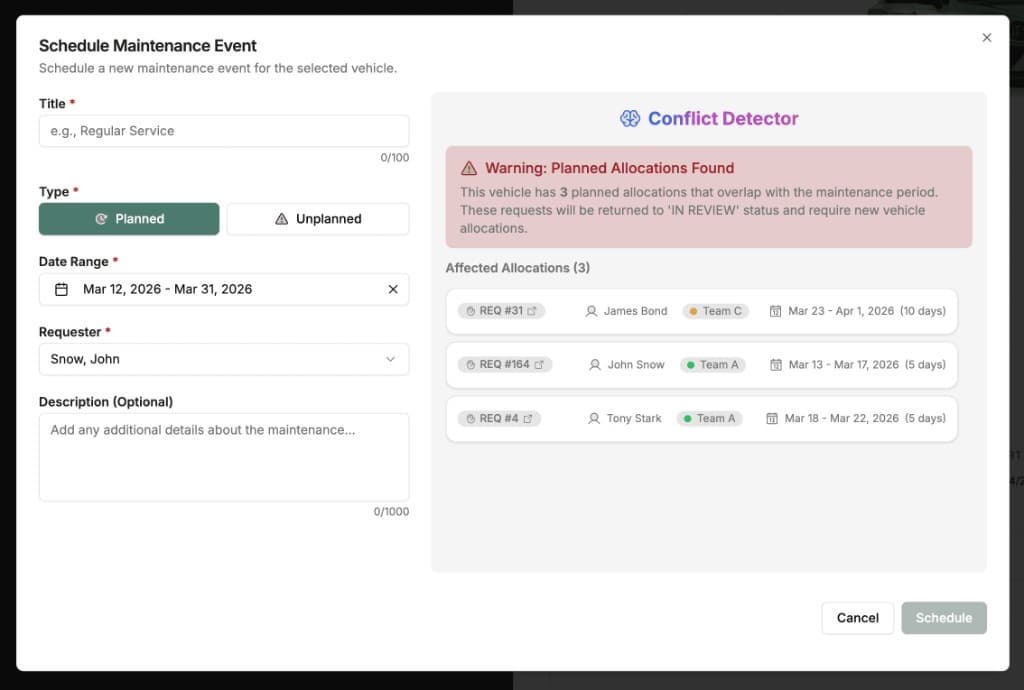
Click Schedule Maintenance Event
Click the + Add button in the toolbar or from a vehicle's detail page.
Fill in Details
| Field | Required | Description |
|---|---|---|
| Title | Yes | Short description (e.g. "Regular Service") |
| Type | Yes | Planned or Unplanned |
| Date Range | Yes | Start and end dates for the maintenance period |
| Requester | Yes | The user requesting the maintenance |
| Description | No | Additional details about the work being done |
Review Conflicts
The Conflict Detector automatically checks whether the maintenance dates overlap with any existing allocations. If conflicts are found, it lists the affected allocations with their request numbers, assignees, teams, and date ranges. Affected requests will be returned to In Review status and require new vehicle allocations.
Schedule
Click Schedule to create the event. It appears in the list and blocks the vehicle's availability on the Schedule View for the specified period.
Impact on Scheduling
Schedule Impact
Maintenance events block the vehicle on the schedule timeline. If the maintenance window overlaps existing allocations, those requests are automatically returned to In Review so the fleet coordinator can reassign them to another vehicle.
Tips
- Log maintenance events as soon as they are known — even if the dates are estimates — to give coordinators early visibility.
- Update end dates if maintenance takes longer than expected.
- Mark events as completed promptly so the vehicle reappears as available.