Specifications and Attributes
Understand spec codes, vehicle tags, and how they drive request matching and filtering.
Specifications (spec codes) and attributes (vehicle tags) are the metadata that describe what a vehicle is and what it can do. They are the foundation of Fleetwise's matching engine — when a requestor specifies essential or preferred requirements, the system matches against these fields.
Spec Codes
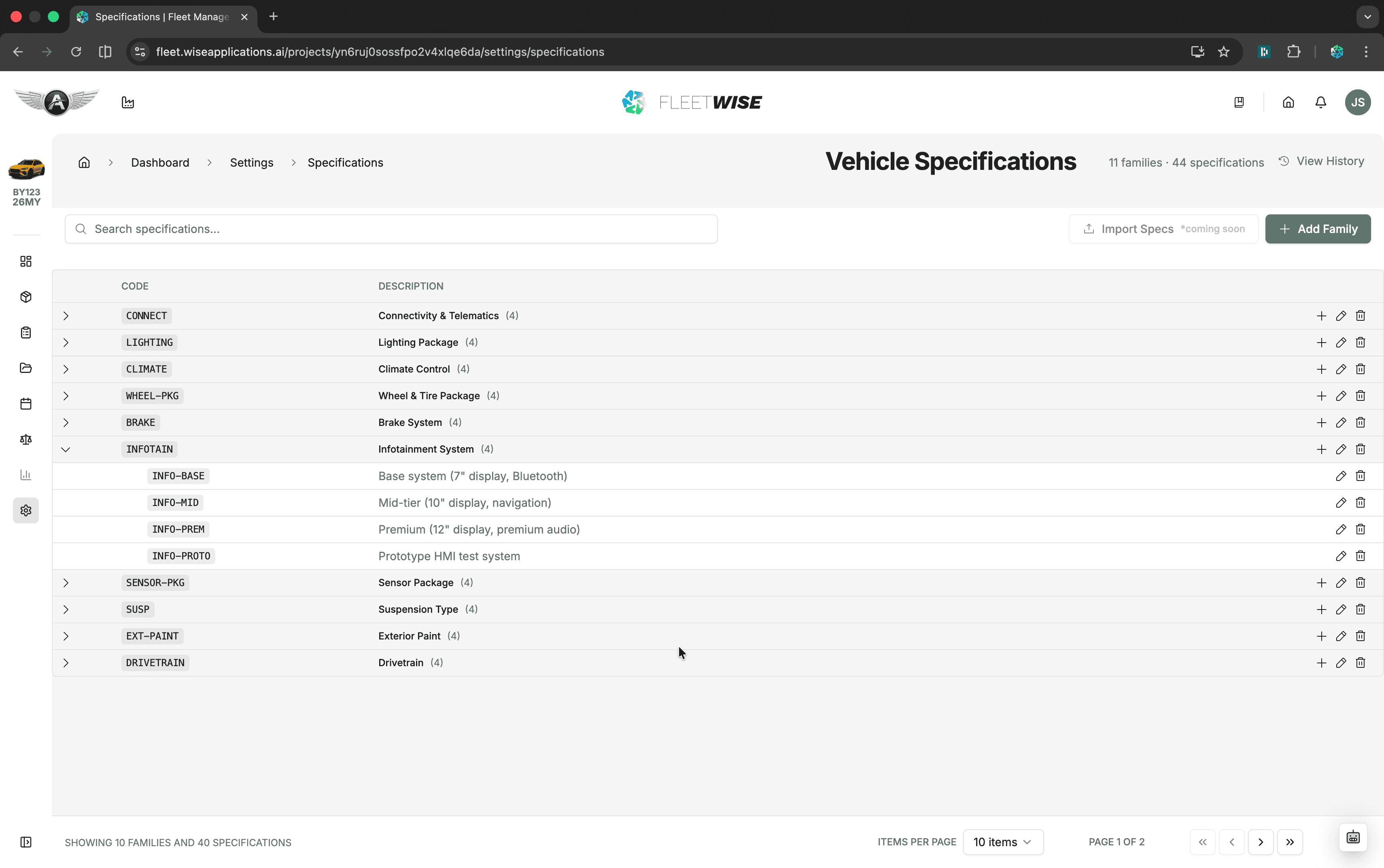
Spec codes are technical identifiers grouped into families. They describe the vehicle's build — powertrain type, exterior configuration, interior variant, software version, and so on.
How Spec Codes Work
| Concept | Description |
|---|---|
| Spec Family | A category of specification (e.g. "Powertrain", "Exterior") |
| Spec Code | A specific value within a family (e.g. "BEV 100kWh", "Silver Metallic") |
| Vehicle assignment | Each vehicle can have one or more spec codes per family |
| Request matching | Requests reference spec codes as essential or preferred requirements |
Managing Spec Families
Spec families are configured at the project level under Settings → Specifications. Only project Owners can add or modify spec families.
Spec History
Fleetwise tracks changes to spec family configurations. View the history under Settings → Specifications → History to see when families or values were added, modified, or removed.
Vehicle Tags (Attributes)
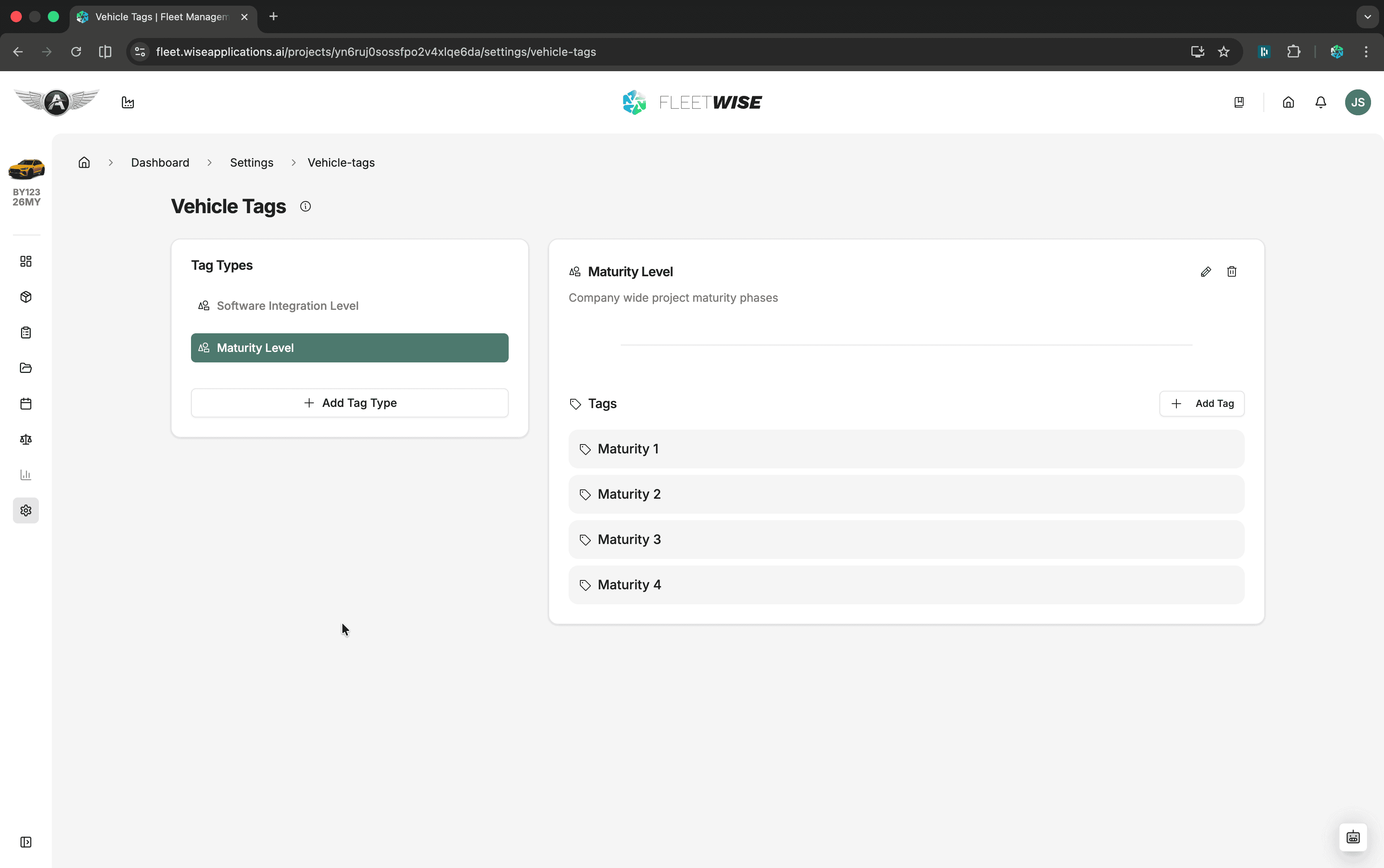
Vehicle tags are descriptive labels that capture characteristics not covered by spec codes — things like maturity, test readiness, special equipment, or customer designation.
How Tags Work
| Concept | Description |
|---|---|
| Tag Category | A group of related tags (e.g. "Maturity", "Equipment") |
| Tag Value | A specific label within a category (e.g. "Level 2", "Special Logger") |
| Vehicle assignment | Each vehicle can have multiple tags across categories |
| Request matching | Requestors specify tags as essential or preferred requirements |
Managing Tag Categories
Tag categories are configured at the project level under Settings → Vehicle Tags. Add new categories and values as your project's needs evolve.
How Matching Works
When a requestor submits a request with requirements:
- Essential spec codes and tags act as hard filters — vehicles missing any essential requirement are excluded.
- Preferred spec codes and tags influence ranking — vehicles matching more preferred requirements score higher.
- The allocation engine combines these matches with availability and other factors to produce a ranked recommendation list.
Over-Constraining
Adding too many essential requirements can eliminate all candidate vehicles. Use essential for true must-haves and preferred for nice-to-haves to keep the candidate pool viable.
Tips
- Set up spec families and tag categories before adding vehicles so metadata is captured from the start.
- Use consistent naming conventions for tag values across the project.
- Review and update spec codes when vehicles receive upgrades or modifications.