Usage Plans
Log Entries
Record and review mileage logs and shift completion data within a usage plan.
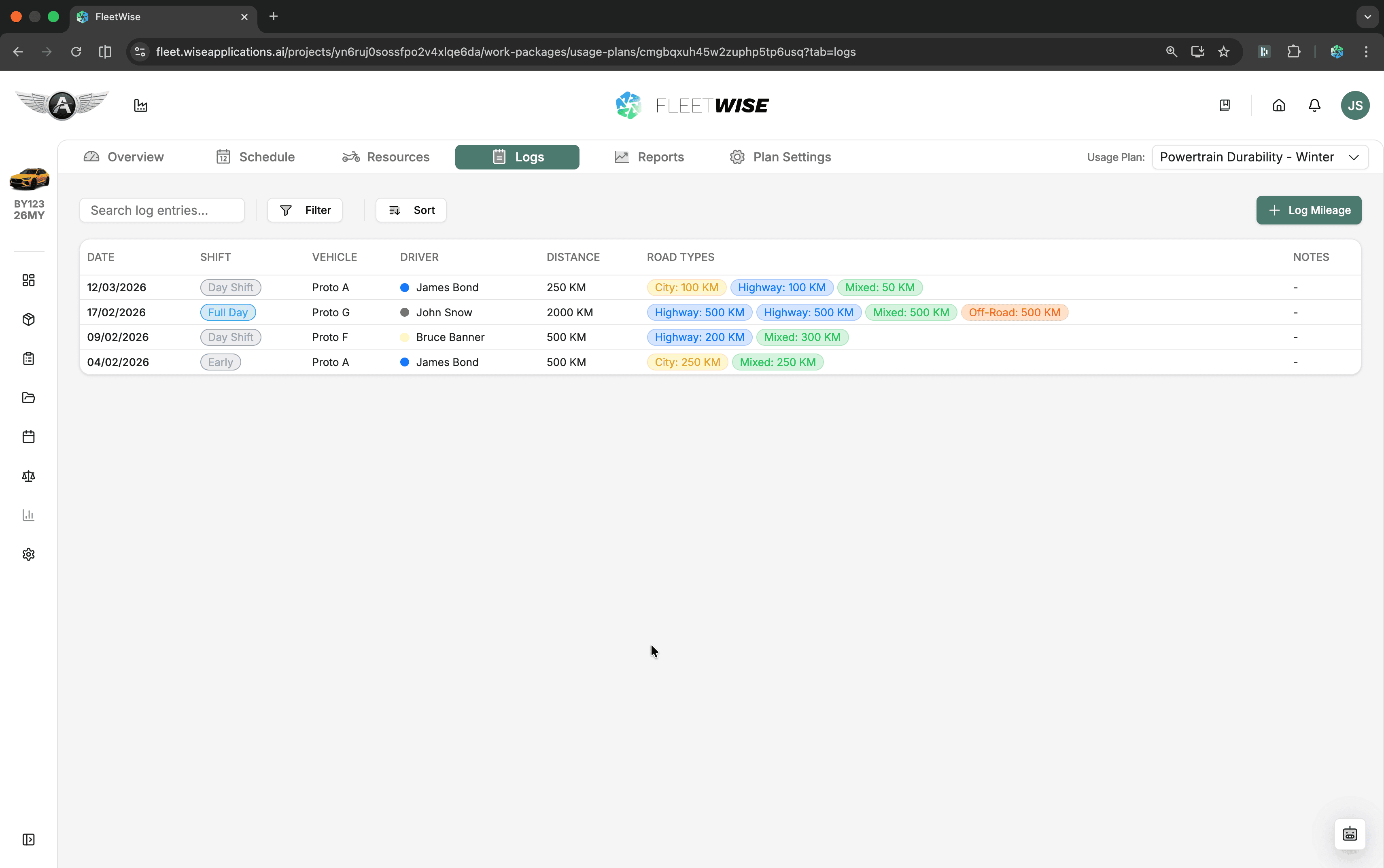
The logs tab captures mileage and activity records as shifts are completed. Use it to track actual vs. planned mileage, record shift outcomes, and build a history of work done against the usage plan.
Opening the Logs Tab
Navigate to the usage plan and select the Logs tab. You see a table of log entries with search, filter, and sort controls.
Creating a Log Entry
Click Add Entry
Click the + Add Entry button in the toolbar.
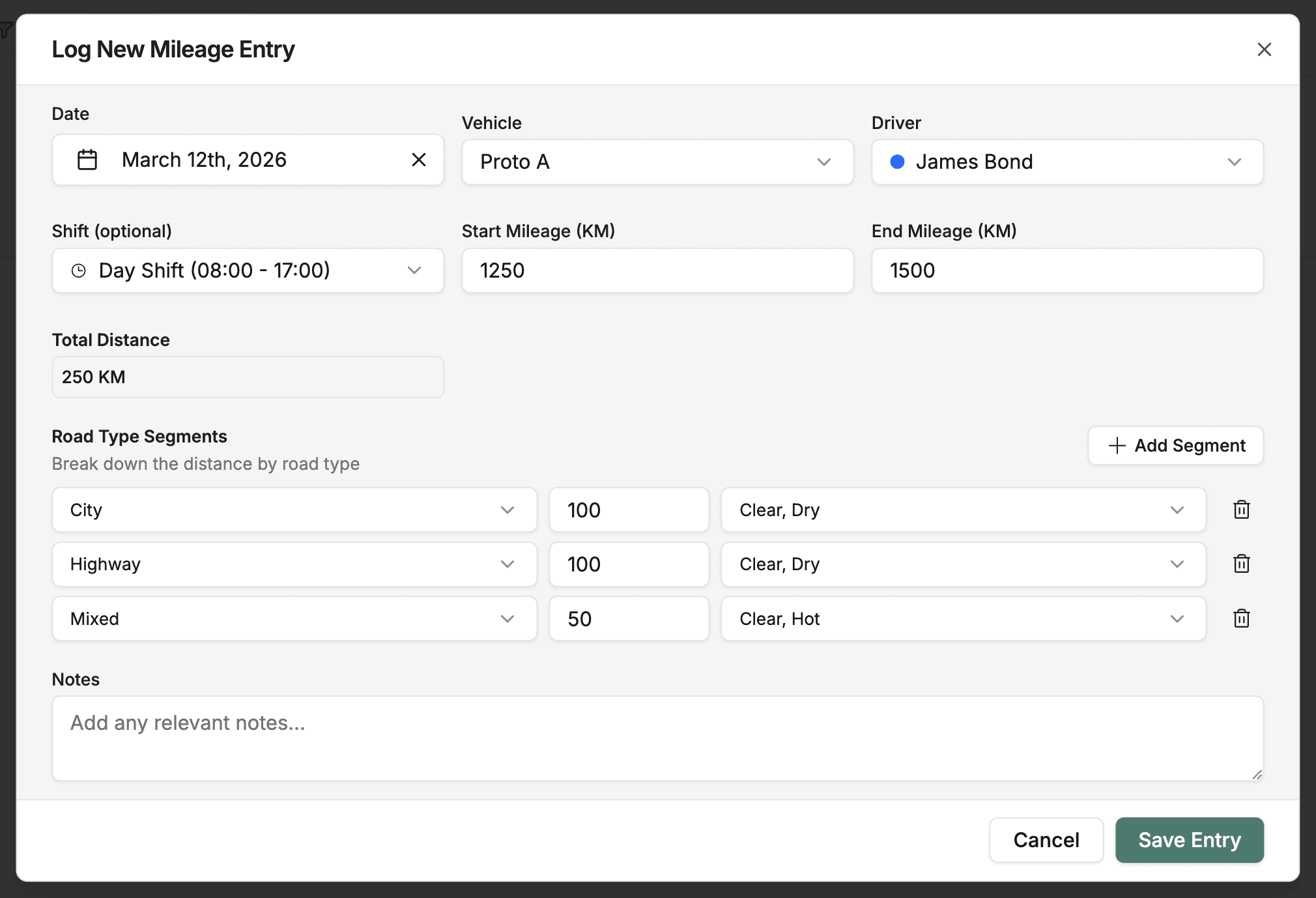
Fill in the Details
| Field | Description |
|---|---|
| Date | The date the shift was completed |
| Shift | Which shift slot this entry covers |
| Vehicle | The vehicle used |
| Driver | The driver who completed the shift |
| Start Mileage | Odometer reading at shift start |
| End Mileage | Odometer reading at shift end |
| Segments | Optional breakdown of the route or test segments |
Save
Click Save to add the entry. It appears in the log table immediately.
Viewing and Editing Entries
- Click any row to open the entry detail sheet.
- Edit fields directly in the detail sheet and save changes.
- Use Search to find entries by driver, vehicle, or date.
- Use Sort to order by date, mileage, driver, or vehicle.
Tips
- Log entries promptly after each shift to keep records accurate.
- Use the segments field to capture distinct portions of a test route if mileage varies by segment.
- Cross-reference log entries with the Reports tab to track actual vs. target mileage.