Managing Requests
Filter, search, and act on requests from the request list and detail views.
Use the request list and detail views to monitor request progress, filter by status or assignee, and take action on individual requests.
Request List
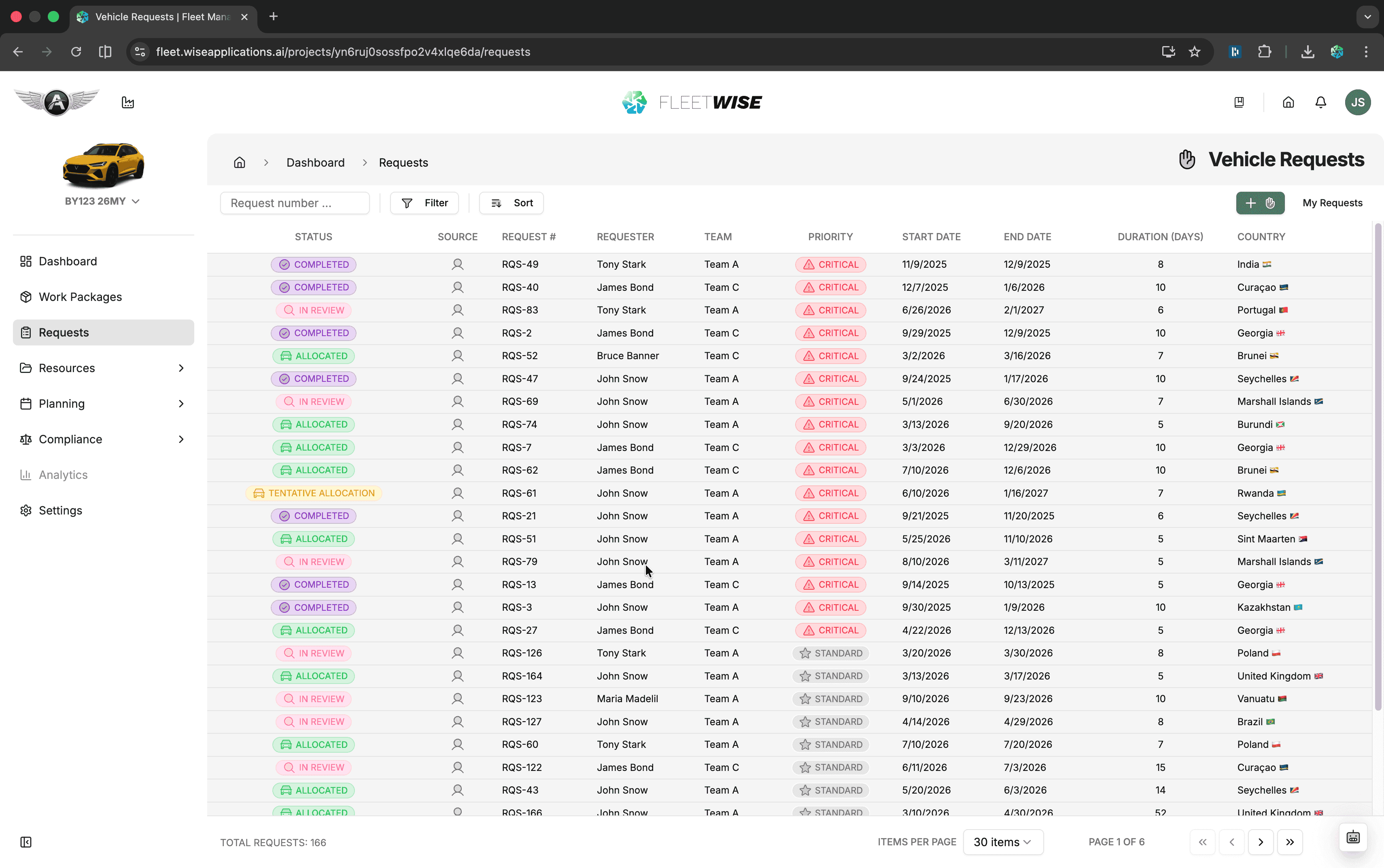
The request list is the main view for browsing all requests in a project. Open it from Requests in the project sidebar.
Tabs
All Requests
Every request in the project, regardless of owner or status.
My Requests
Only requests you created. Use this to track your own submissions.
Filtering and Search
- Status filter — show only requests in specific states (e.g. In Review, Allocated).
- Search — find requests by title or description keywords.
- Sort — order by date, status, priority, or title.
Request Detail View
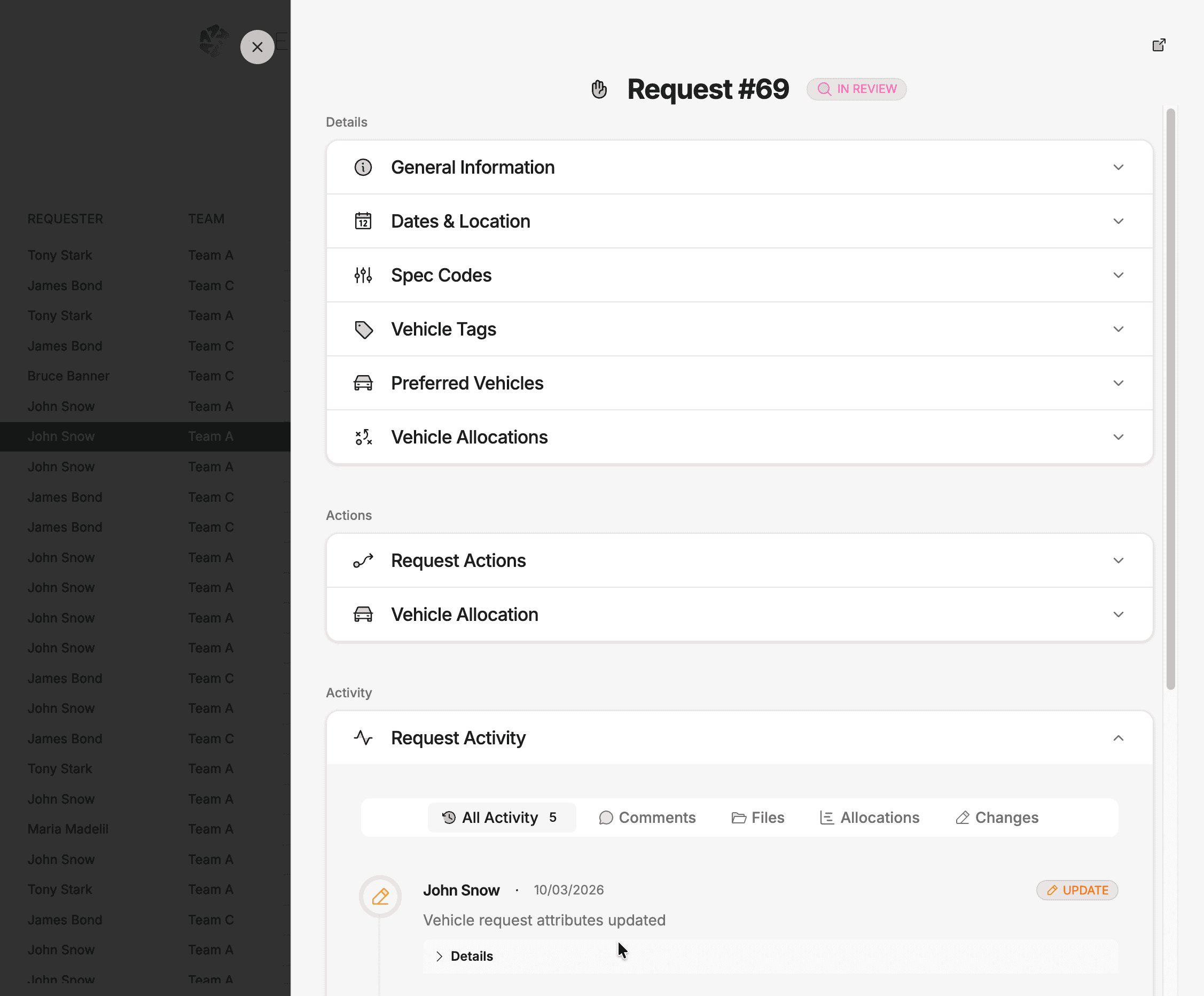
Click any request row to open the detail view. This shows the full request information and available actions.
Details
The top group contains expandable sections for all the data submitted with the request:
| Section | Content |
|---|---|
| General Information | Request number, status badge, priority, team, work package |
| Dates & Location | Usage window, required duration, consecutive toggle, country and location |
| Spec Codes | Spec codes marked Essential or Preferred |
| Vehicle Tags | Attribute tags marked Essential or Preferred |
| Preferred Vehicles | Specific vehicles the requestor would like |
| Vehicle Allocations | Vehicles currently allocated against this request |
Actions
Below the details you will find action accordions. The actions available depend on the request state and your role:
| Action | Available When | Who Can Do It |
|---|---|---|
| Edit | Most active states | Request owner |
| Submit | Draft | Request owner |
| Withdraw | Most active states | Request owner |
| Approve / Reject | Pending Approval | Approvers |
| Accept / Decline | Tentative Allocation | Request owner |
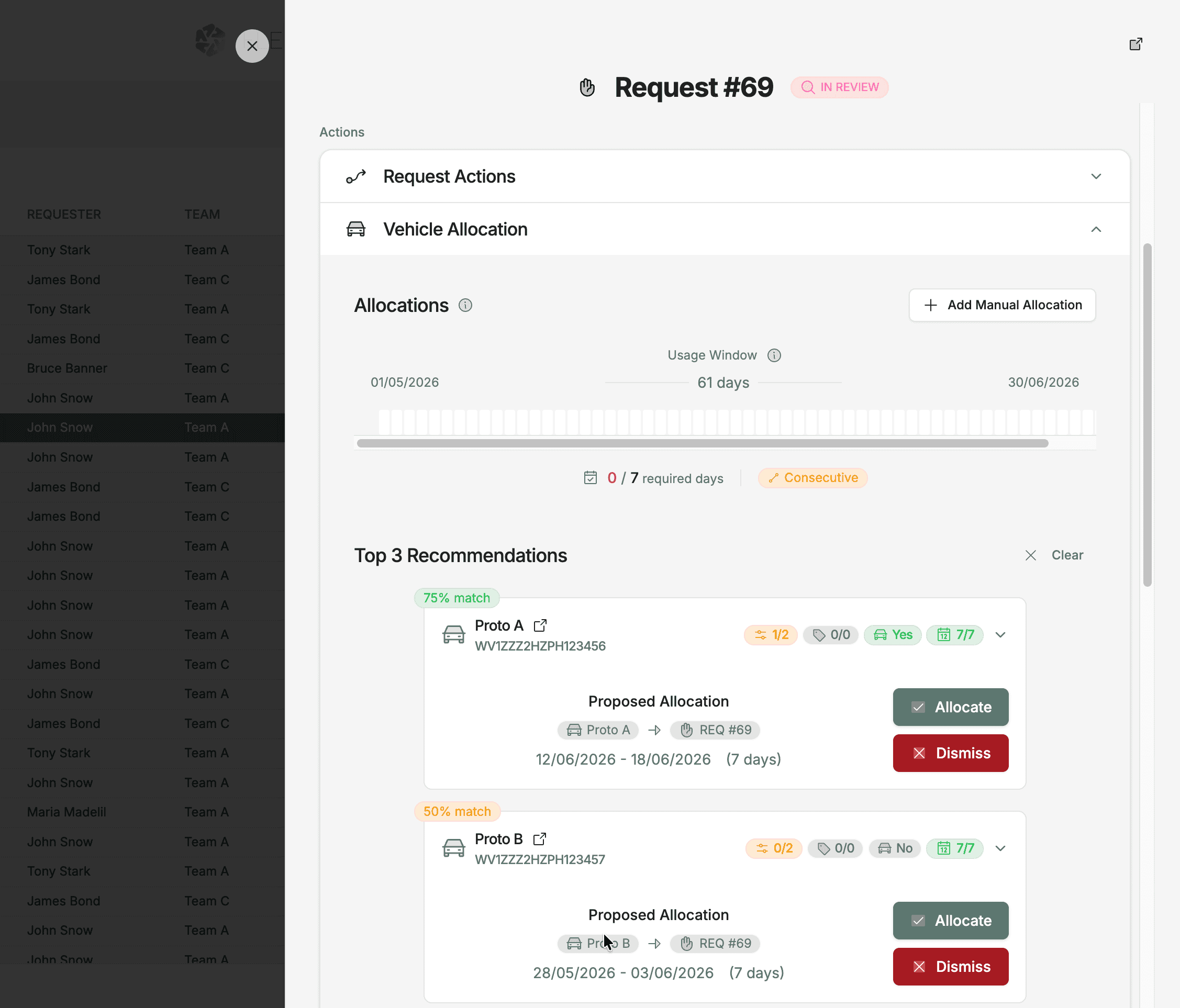
| Allocate | In Review | Fleet Coordinators |
| Complete | Allocated | Fleet Coordinators |
Vehicle Allocation
When a request is in review, the detail view shows a Recommended Vehicles panel. This lists vehicles ranked by match quality based on your essential and preferred requirements, availability, and other factors.
Request Activity
At the bottom of the detail view is the Request Activity section — a running log of everything that happens on the request. It is filtered by tabs:
| Tab | Shows |
|---|---|
| All Activity | Combined feed of every event below |
| Comments | Discussion thread — use this to communicate with coordinators or team members |
| Files | Attached documents, images, or other files |
| Allocations | Allocation events (created, confirmed, removed) |
| Changes | Audit trail of field changes (status, dates, requirements) |
Activity for Audits
The activity log provides a complete audit trail for every request. Use it to review decision history, track who made changes, and reference past discussions.
Notifications
You receive notifications when:
- Your request status changes
- A comment is added to your request
- An allocation is made against your request
- Your request requires attention (e.g. clarification needed)
Configure notification preferences in Settings → Notifications.