Settings
Notifications
Configure notification preferences at workspace and project level to control what alerts you receive.
Fleetwise sends notifications for key events — request status changes, allocation updates, maintenance alerts, and more. You can configure which notifications you receive and how you receive them.
Notification Levels
| Level | Scope | Location |
|---|---|---|
| Workspace | Notifications across all projects | Settings → Notifications in the workspace header |
| Project | Notifications for a specific project | Settings → Notifications in the project sidebar |
Project-level settings override workspace-level defaults for that project.
Notification Types
| Event | Description |
|---|---|
| Request status change | When a request you created or manage moves to a new state |
| Allocation update | When an allocation is created, confirmed, or cancelled for your request |
| Comment added | When someone comments on a request or work package you are involved in |
| Maintenance alert | When a maintenance event affects a vehicle in your active allocations |
| Shift assignment | When you are assigned to or removed from a usage plan shift |
| System announcements | Platform-wide updates and maintenance notices |
Configuring Preferences
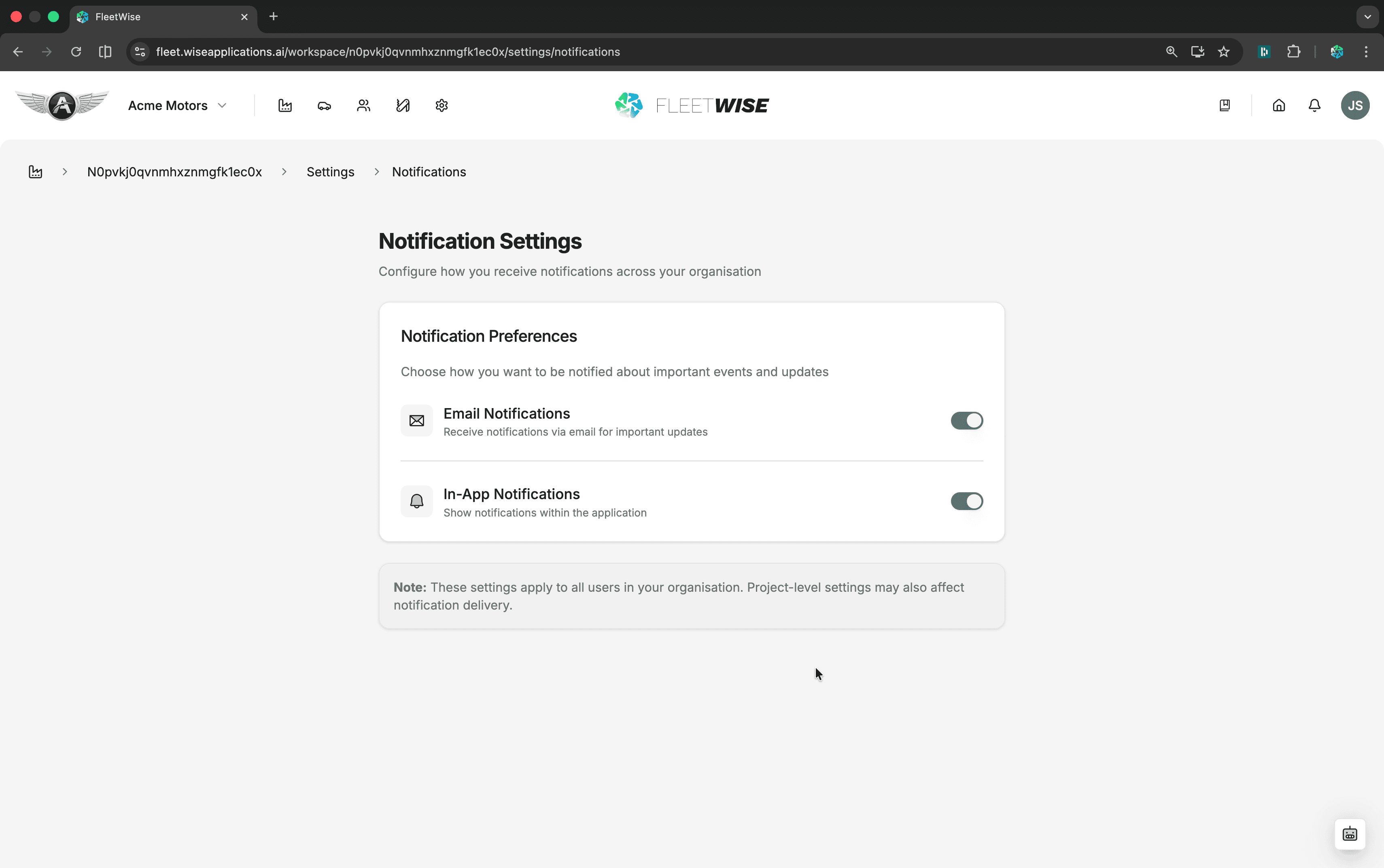
For each notification type, you can:
- Enable or disable the notification entirely.
- Choose delivery channel — in-app notifications, email, or both.
In-App Notifications
In-app notifications appear under the bell icon in the header. They persist until you mark them as read.
Tips
- Start with all notifications enabled and turn off the ones that create noise for your role.
- Fleet Coordinators should keep request and allocation notifications enabled — these are your primary workflow triggers.
- Requestors primarily need request status and comment notifications.
- Review notification preferences when you take on a new role or join a new project.