Work Packages
Creating Work Packages
Step-by-step guide to creating and configuring a work package for your project.
Create a work package to organise a testing activity that involves multiple vehicles, shifts, or targets (e.g. mileage, hours, tests).
Before You Start
- You need the Work Package Create permission in the project.
- Have the work package name, description, and planned date range ready.
Step-by-Step Guide
Navigate to Work Packages
Click Work Packages in the project sidebar.
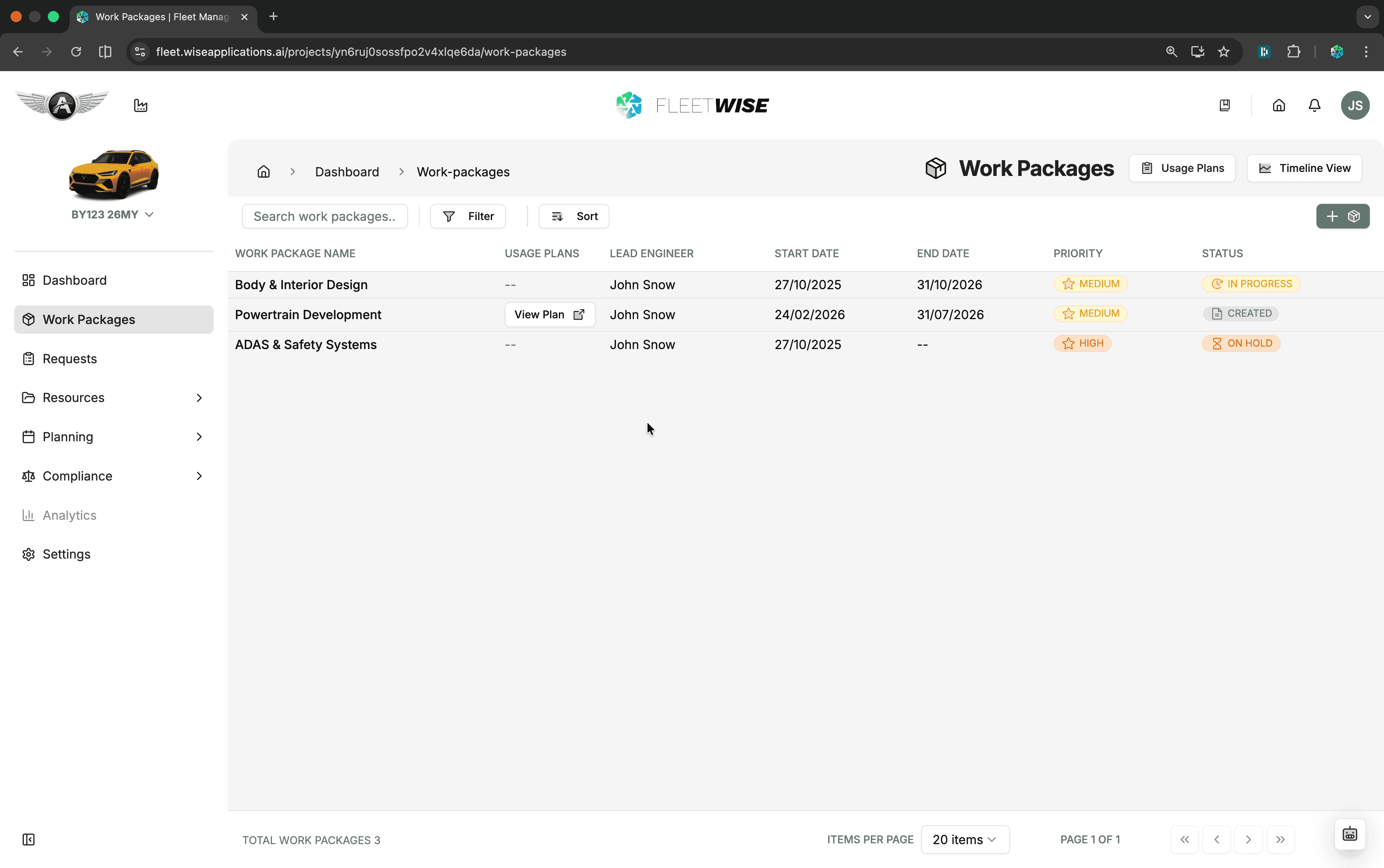
Click Add Work Package
Click the + Add Work Package button in the toolbar.
Fill in Details
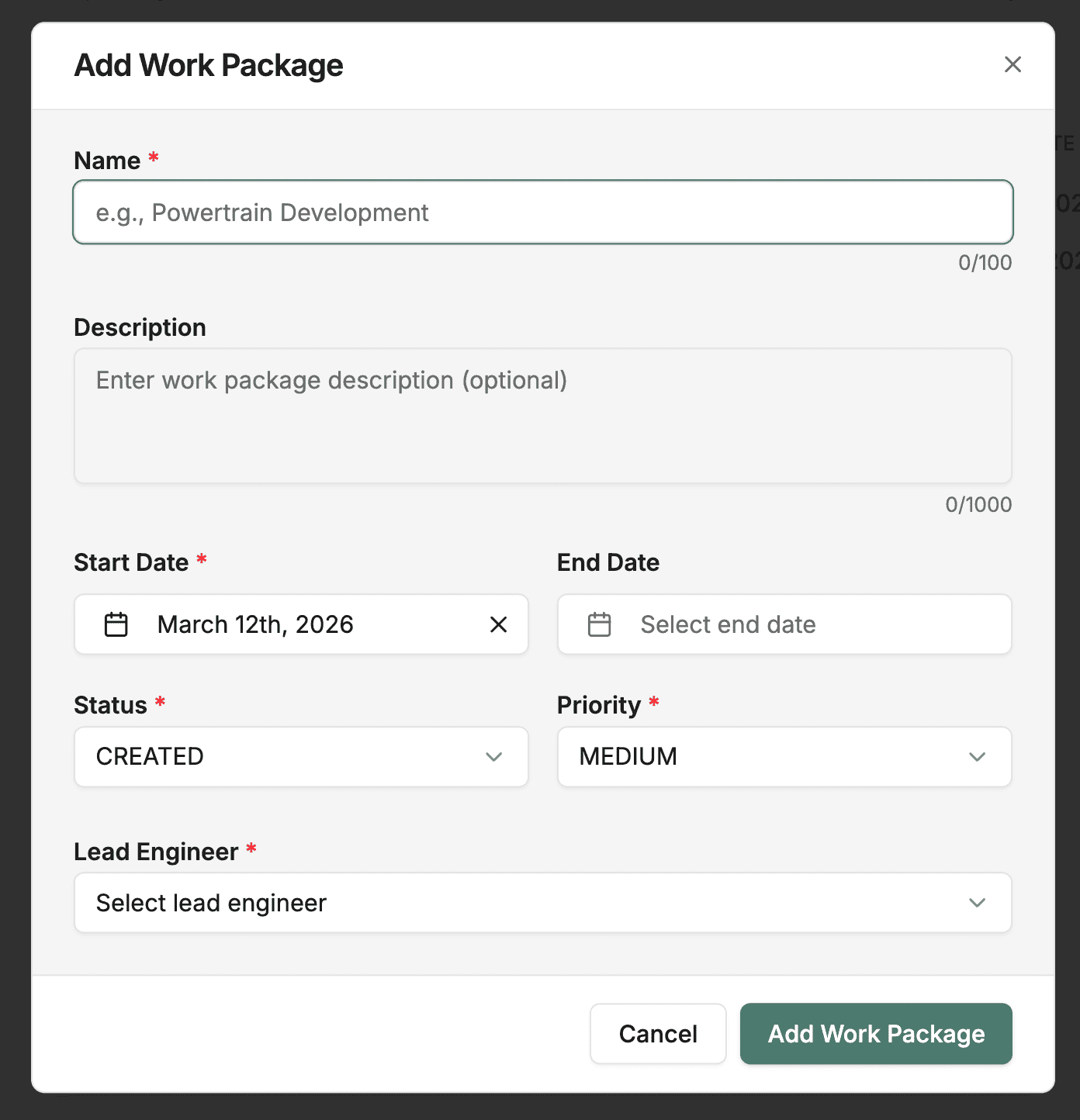
| Field | Required | Description |
|---|---|---|
| Name | Yes | Descriptive title for the testing activity |
| Lead Engineer | No | The person responsible for this work package |
| Priority | No | Priority level (Low, Medium, High) |
| Start Date | Yes | When the work package period begins |
| End Date | Yes | When the work package period ends |
| Description | No | Objectives, scope, and any relevant context |
Create
Click Add Work Package to create.
After Creation
Once created, there are two ways to add vehicles depending on your permissions:
- Direct assignment — if you have direct assignment permissions, click Add Resources to add vehicles to the work package immediately. Fleetwise creates the underlying request and allocation records automatically.
- Request flow — click Raise Request in the Resources section to open a new request form with the work package pre-filled. You can also create requests from the Requests page and link the work package manually. Once allocated, the vehicles appear in the Resources section.
Then:
- Create a usage plan — set up scheduling for shifts and mileage tracking. See Usage Plans.
- Upload documents — attach relevant test plans, specifications, or reference files to Documents & Reports.
Tips
- Name work packages by the test campaign or activity (e.g. "Winter Endurance Testing - Phase 2").
- Set dates that cover the full testing window — usage plan schedules are constrained to these dates.
- One work package can have multiple usage plans.